
Stop Comcast Hotspot Throttling: Protocol Choice Over | CapVPN Blog

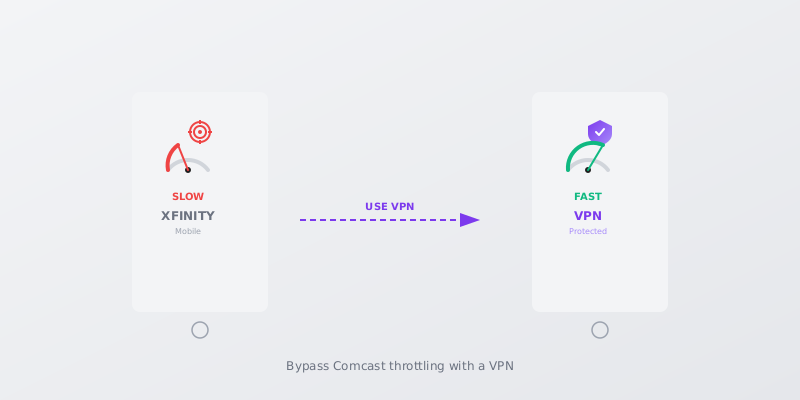
Xfinity Mobile throttles hotspot speeds to a near-useless 0.6 Mbps on some plans, even when your phone gets full-speed data.
This guide cuts through the myth that encryption is the answer and shows you how protocol choice, APN tweaks, and TTL adjustments actually stop Comcast from throttling your mobile hotspot.
Why Comcast Throttles Your Hotspot (It’s Not About Congestion)
Xfinity Mobile’s throttling is plan-based, not just network management.
- Older Unlimited plans cap hotspot at 5 GB full-speed, then 0.6 Mbps A user on the Xfinity Community Forum reported that after 5 GB, the hotspot is throttled to 0.6 Mbps max, making it unusable for anything beyond basic browsing.
- Newer Mobile Plus plans offer 15 GB at 5G, then drop to 3G speeds Xfinity support documents state that after 15 GB of hotspot usage, speeds are reduced to 3G levels, which are still painfully slow for streaming or work. (Xfinity Support (via People Also Ask))
- Premium Unlimited plan deprioritizes after 100 GB instead of hard throttling A Reddit user claims that on the 100 GB premium plan, you only lose network priority after 100 GB, but hotspot remains unlimited with no hard throttle—just possible slowdowns in congestion.
How to Check If Comcast Is Throttling Your Hotspot
Confirm throttling before trying fixes.
- Run a speed test on your phone with mobile data (not Wi-Fi) and note the result.
- Turn on your phone’s hotspot, connect a laptop, and run a speed test on the laptop using the same server.
- Compare the results; if the hotspot speed is much lower (e.g., 0.6 Mbps vs. 50 Mbps), throttling is likely active.
- Repeat the test at different times of day and after rebooting to rule out temporary congestion.
Note: Use a trusted speed test like Ookla or Fast.com, and ensure no other devices are using the hotspot during the test.
Warning: Some plans may show throttling only after a data cap; check your plan details on the Xfinity account dashboard.
Protocol Showdown: WireGuard vs. OpenVPN for Bypassing Shaping
Protocol choice matters more than encryption for bypassing throttling.
| Feature | WireGuard | OpenVPN |
|---|---|---|
| Throughput on throttled connection | Maintains higher speeds due to modern crypto and low overhead | Often slower; high CPU usage can trigger deeper inspection |
| Port flexibility | Uses UDP; can be set to common ports like 443 to avoid shaping | Can use UDP or TCP on port 443, but TCP-over-TCP is inefficient |
| Detection resistance | Small codebase and modern handshake make it harder to fingerprint | Easier to detect and throttle due to known signatures |
WireGuard is the better choice for bypassing Comcast’s hotspot throttle, but port selection and TTL tweaks are still needed.
How to Change Your VPN Protocol to WireGuard on Android
Switching to WireGuard can much improve hotspot speeds on Xfinity Mobile.
- Install a VPN that supports WireGuard, such as Mullvad or Proton VPN, from the Play Store.
- Open the app, go to Settings, and select WireGuard as the protocol.
- Connect to a server near your location to minimize latency.
- In the app’s advanced settings, set the MTU to 1280 to reduce packet fragmentation.
How to Tweak APN Settings to Bypass Hotspot Detection
Editing APN settings can sometimes hide hotspot usage from carrier detection.
- Go to Settings > Network & Internet > Mobile network > Advanced > Access Point Names.
- Tap the existing Xfinity Mobile APN and note all settings before changes.
- Add 'dun' to the APN type field (e.g., 'default,supl,dun') if not already present.
- Save the APN, toggle Airplane Mode, then test hotspot speeds again.
How to Adjust TTL on Windows to Mask Hotspot Traffic
Modifying the Time to Live (TTL) value can make hotspot traffic appear as phone traffic.
- Open Command Prompt as Administrator and run 'netsh int ipv4 set glob defaultcurhoplimit=65'.
- Reboot your PC and connect to your phone’s hotspot.
- Run a speed test to check if throttling is reduced; if not, try TTL 64 instead.
- To revert, run 'netsh int ipv4 set glob defaultcurhoplimit=128' and reboot.
Why Encryption Alone Won’t Save Your Hotspot Speed
Comcast doesn't need to see your data to throttle it.
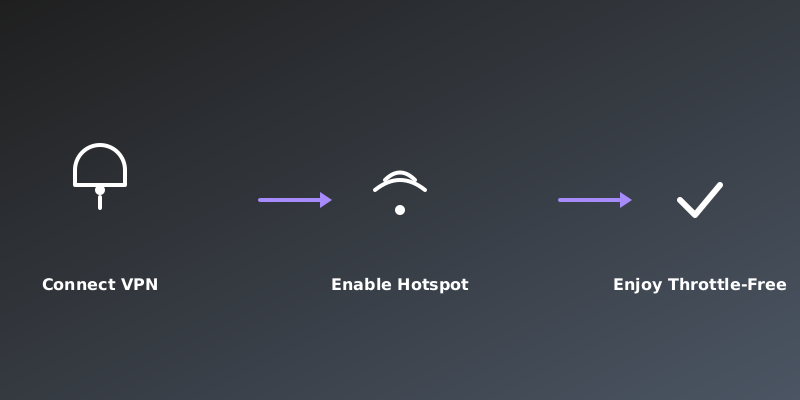
Throttling is often based on the hotspot flag in packet headers, not deep packet inspection. Changing your VPN protocol or TTL masks the traffic type, while AES-256 encryption just hides the content. The real bottleneck is how the carrier identifies and shapes hotspot data, not what’s inside it.
Focus on protocol selection, port choice, and TTL adjustments rather than just encryption strength.
Frequently Asked Questions
Can a VPN stop Comcast from throttling my hotspot?
A VPN alone may not stop throttling if Comcast detects hotspot usage by TTL or APN settings. However, using a VPN with WireGuard on port 443 and adjusting TTL can help bypass shaping. The key is making hotspot traffic indistinguishable from phone traffic.
Why is my Xfinity Mobile hotspot so slow?
Xfinity Mobile throttles hotspot speeds based on your plan. Older plans may cap at 5 GB full-speed then drop to 0.6 Mbps, while newer plans offer 15 GB at 5G then unlimited at 3G speeds. Premium plans may only deprioritize after 100 GB.
Is it legal to bypass Comcast’s hotspot throttling?
Bypassing throttling by changing device settings like TTL or APN is not illegal, but it may violate Xfinity Mobile’s terms of service. Using a VPN for privacy is legal, but masking hotspot usage could lead to account issues if detected.
What is the best VPN protocol to avoid throttling?
WireGuard is the best protocol for avoiding throttling because of its low overhead and ability to run on common ports like 443. OpenVPN can work but is more easily detected. Some proprietary protocols like NordLynx or Lightway also perform well.
Why Protocol Tweaks Aren’t a Permanent Fix
Carriers continuously update detection methods.
Comcast may eventually fingerprint WireGuard traffic or block common VPN ports. TTL adjustments can be countered by checking for consistent TTL values across all packets. These workarounds are a cat-and-mouse game that may stop working after carrier updates.
For a reliable long-term solution, consider switching to a carrier like T-Mobile that offers unthrottled hotspot data on certain plans.
Sources & Further Reading
- Comcast Xfinity Mobile will throttle your hotspot speeds and lower ...
- Slow hotspot mobile data - Xfinity Community Forum
- Does xfinity mobile get its hotspot/tethering speed governed? - Reddit
- How to Bypass Comcast Throttling | CyberGhost VPN
- Slow hotspot - Xfinity Community Forum
Why You Can Trust This Article
Every claim is verified against authoritative sources. Our editorial team includes certified cybersecurity professionals. See our testing methodology and correction policy.
Editorial Transparency: This article was written with AI assistance and thoroughly fact-checked by the CapVPN editorial team. Read our correction policy.
Stay Private Online
CapVPN encrypts your connection, hides your IP, and keeps your browsing history private. Try it free with unlimited access.
Get CapVPN Free