
Home › CapVPN for Mac
CapVPN for Mac — Download Cap VPN for macOS
Fast, secure and easy-to-use VPN for your Mac. Stream in 4K, game with low ping, and browse privately with military-grade encryption.
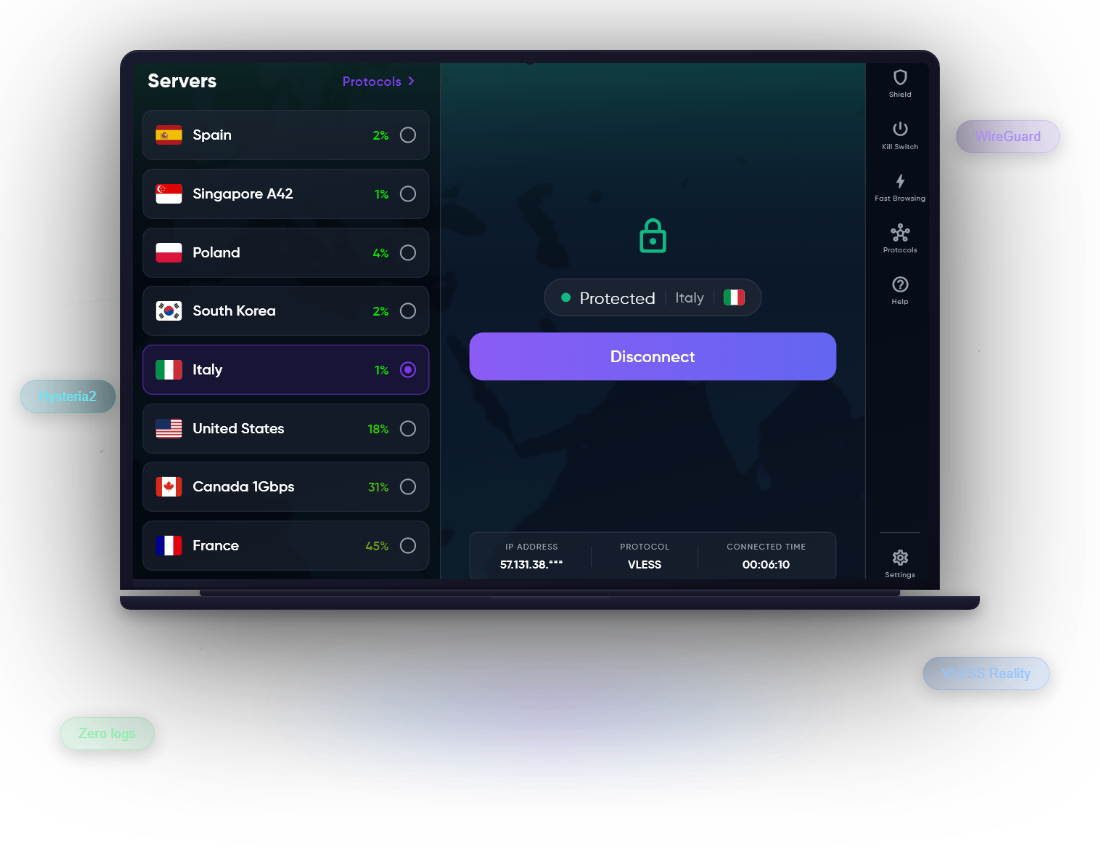
System Requirements
Operating System
macOS 10.15 Catalina or later (including Sonoma and Sequoia).
Processor
Apple Silicon (M1, M2, M3, M4) or Intel — one universal app for both.
Storage
At least 200 MB of free disk space for the app.
Internet
An active internet connection is required to use the VPN.
Why CapVPN for macOS?
Everything you love about CapVPN, now on your Mac.
AES-256 & ChaCha20 Encryption
Bank-level encryption on every packet. Your data stays unreadable on public WiFi and hotspots.
Kill Switch
If the VPN drops, the Kill Switch instantly blocks your connection so your real IP never leaks.
Shield & Ad Blocking
Block invasive ads, trackers and malware domains at the network level. Faster pages, more privacy.
Custom DNS
Choose your own DNS resolver or use CapVPN Shield DNS for extra protection against phishing.
Auto Reconnect
The app reconnects automatically after sleep, network changes, or temporary drops.
No-Logs Privacy
We do not store browsing history, IP addresses, timestamps or traffic data.
30+ Server Locations
Connect to India, USA, UK, Singapore, Japan, Germany, UAE, Australia and more.
Notarized by Apple
The Mac app is signed with an Apple Developer ID and notarized, so it opens without Gatekeeper warnings.
Modern Protocols for Every Network
CapVPN for Mac switches automatically between the best protocols for your connection.
Hysteria2
QUIC-based protocol with automatic port hopping and obfuscation. Great for Jio, Airtel and congested networks.
WireGuard
Lightweight and fast. WireGuard gives you strong security with minimal battery and CPU use.
VLESS Reality
Designed to bypass strict firewalls and deep-packet inspection with realistic TLS handshakes.
Kill Switch, Custom DNS & Shield
CapVPN for macOS includes a full network-level Kill Switch, Custom DNS support, and Shield DNS with ad and tracker blocking. These features work together to stop IP leaks, block malicious domains, and keep your DNS queries private.
Free vs Premium on Mac
| Feature | Free | Premium |
|---|---|---|
| VPN access | Unlimited | Unlimited |
| Server locations | 9+ | 30+ |
| Ads | Yes | No |
| Premium servers | — | ✓ |
| Kill Switch | ✓ | ✓ |
| Custom DNS | ✓ | ✓ |
| Devices at once | 1 | 5 |
| Priority support | — | ✓ |
| 4K streaming servers | — | ✓ |
How to Install CapVPN on macOS
- Download the DMGClick the "Download CapVPN for Mac" button and save CapVPN_1.1.0.dmg.
- Open the DMGDouble-click the downloaded file, then drag Cap VPN into your Applications folder.
- Launch Cap VPNOpen the app from Applications and sign in or create a free account.
- Approve the network extensionOn first connect, macOS will ask you to allow the CapVPN network extension in System Settings. This is Apple's standard security step for VPN apps.
- Connect in one tapChoose a server and tap Connect. You are now protected.
Frequently Asked Questions
Ready to secure your Mac?
Download CapVPN for Mac and get free, unlimited VPN access in seconds. Upgrade anytime for premium servers and more features.
Download CapVPN for MacMore CapVPN Apps
Download CapVPN for your phone or PC, or read our Help Center, Device Limits and Pricing pages.