
GTA 6 Download Slow? Fix ISP Throttling With a VPN | Cap VPN | CapVPN Blog
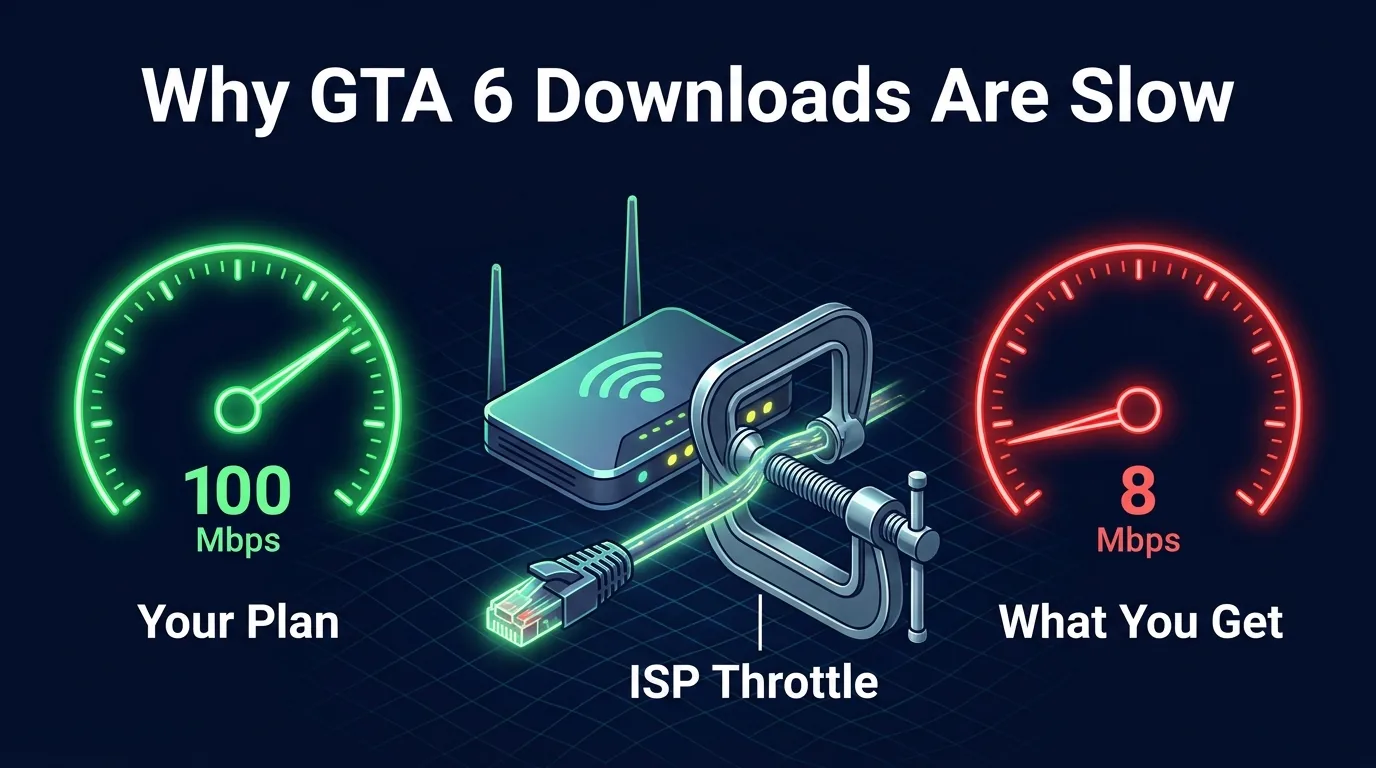
GTA 6 finally launched — and your download is crawling at 2 Mbps on a 100 Mbps connection. Sound familiar?
You are not crazy. Your ISP is throttling your GTA 6 download intentionally. This is not a Rockstar server issue. This happens on every major game launch day — and there is a simple fix.
Why Is GTA 6 Downloading So Slowly?
GTA 6 is a 212 GB download. That is massive. When millions of people download the same thing at the same time, ISPs (Airtel, Jio, BSNL, ACT, etc.) use something called Deep Packet Inspection (DPI) to identify gaming traffic and slow it down on purpose.
Why? Because it saves them bandwidth during peak hours. You are paying for 100 Mbps but actually getting throttled to 10-15 Mbps for gaming downloads. It is legal. It is shady. And it has been happening for years.
How a VPN Fixes GTA 6 Download Speed
When you connect to a VPN before starting your PS5 or Xbox Series X/S download, all your traffic gets encrypted. Your ISP can no longer see that you are downloading a game — it looks like random encrypted data. So they cannot throttle it.
The result? Your download goes from 10 Mbps back to your actual 80-100 Mbps speed.
Cap VPN uses WireGuard and Hysteria2 protocols — both are specifically designed to bypass DPI throttling. Even if your ISP tries to block standard VPN ports, Cap VPN switches to obfuscated ports automatically.
How to Speed Up GTA 6 Download (Step by Step)
- Download Cap VPN on your Android phone — it is free, no account needed
- Connect your PS5 or Xbox to your phone hotspot (Settings → Mobile Hotspot)
- Open Cap VPN → Connect to any server (India servers work best for speed)
- Now start the GTA 6 download from your console
- Watch your download speed jump back to full speed

Yes, it is that simple. Your console does not support VPN apps directly, but your Android phone does — and you can share that VPN connection via hotspot.
Best Server to Use for GTA 6 Download
If you are in India:
- India (Mumbai) — fastest for most users on Jio/Airtel
- Singapore — good fallback if Mumbai is congested
Cap VPN automatically picks the fastest server for you, so just hit Connect and you are done.
Does This Work on PS5?
Yes. Connect your PS5 via Wi-Fi to your Android hotspot (the same network your Cap VPN is running on). Your PS5 traffic flows through your phone through Cap VPN and bypasses ISP throttling. This is the same method thousands of gamers in India are using right now for the GTA 6 preload.
Will This Work for GTA Online Too?
Absolutely. GTA Online matchmaking connects to Rockstar servers, and ISPs throttle gaming UDP traffic heavily. With Cap VPN on, your ping stays stable and packet loss drops dramatically — especially important for not getting kicked out of lobbies or lagging out in missions.
Download Cap VPN — Free
Cap VPN is completely free. No credit card, no subscription required to get started. Download it right now and get your GTA 6 download back to full speed. Available on Android. 10 million+ downloads.
Editorial Transparency: This article was written with AI assistance and thoroughly fact-checked by the CapVPN editorial team. Read our correction policy.
Frequently Asked Questions
Why Is GTA 6 Downloading So Slowly?
GTA 6 is a 212 GB download. That is massive. When millions of people download the same thing at the same time, ISPs (Airtel, Jio, BSNL, ACT, etc.) use something called Deep Packet Inspection (DPI) to identify gaming traffic and slow it down on purpose.
How a VPN Fixes GTA 6 Download Speed
When you connect to a VPN before starting your PS5 or Xbox Series X/S download, all your traffic gets encrypted. Your ISP can no longer see that you are downloading a game — it looks like random encrypted data. So they cannot throttle it.
How to Speed Up GTA 6 Download (Step by Step)
Download Cap VPN on your Android phone — it is free, no account neededConnect your PS5 or Xbox to your phone hotspot (Settings → Mobile Hotspot)Open Cap VPN → Connect to any server (India servers work best for speed)Now start the GTA 6 download from your consoleWatch your download speed jump back to full speed
Does This Work on PS5?
Yes. Connect your PS5 via Wi-Fi to your Android hotspot (the same network your Cap VPN is running on). Your PS5 traffic flows through your phone through Cap VPN and bypasses ISP throttling. This is the same method thousands of gamers in India are using right now for the GTA 6 preload.
Will This Work for GTA Online Too?
Absolutely. GTA Online matchmaking connects to Rockstar servers, and ISPs throttle gaming UDP traffic heavily. With Cap VPN on, your ping stays stable and packet loss drops dramatically — especially important for not getting kicked out of lobbies or lagging out in missions.
Download Cap VPN — Free
Cap VPN is completely free. No credit card, no subscription required to get started. Download it right now and get your GTA 6 download back to full speed. Available on Android. 10 million+ downloads.
Stay Private Online
CapVPN encrypts your connection, hides your IP, and keeps your browsing history private. Try it free with unlimited access.
Get CapVPN Free